


Mantis Laser Academy
4.6262.00 Reviews
App Specs
- Version
- 3.4
- Updated On
- License
- Free
- Downloads
- 100,000+
- Developer
- Mantis Tech
- Categories
- Sports
- Platform
- Android
Screenshots
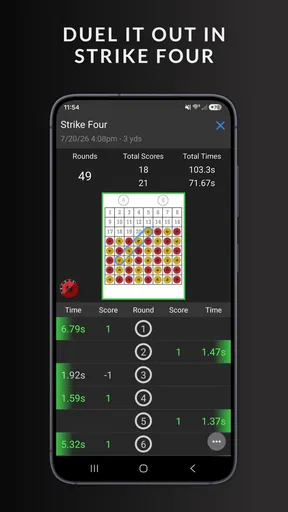
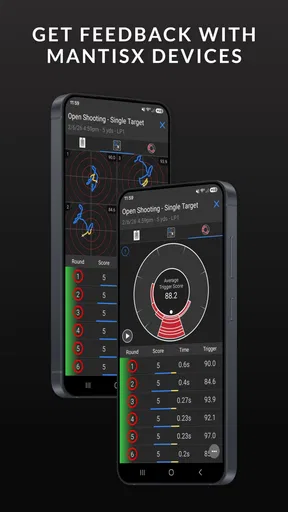
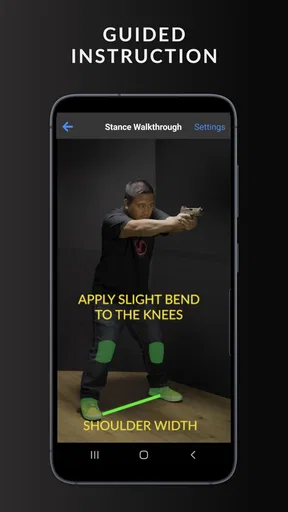
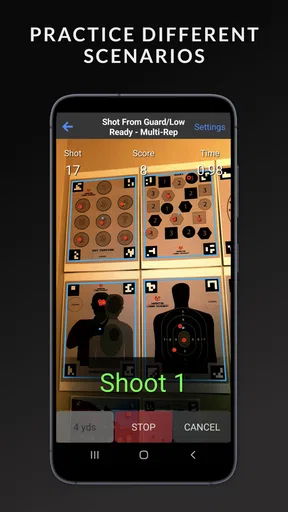
 Analysis by AppCompare
My first impression of Mantis Laser Academy is that it makes dry-fire practice feel more structured than simply repeating the same movement on your own. It is a sports app from Mantis Tech, built around using a laser training setup and a phone to make practice sessions easier to review. If you are new to this kind of training, the reassuring part is that you can approach it in small steps: understand the setup, get a clear first result, then decide whether the routine suits you.
What to expect from a dry-fire training app
This is not a general fitness tracker or a video course. Its purpose is focused: help you practise with a laser-based training system rather than live ammunition. That distinction matters when choosing it. I would look at it as a practice aid, not a replacement for supervised instruction, safe handling habits, or time on a range when those are appropriate to your goals.
The app is free to install and is rated for Everyone. It has a 4.6 average from around 1,600 ratings, and has passed 100,000 installs. Those figures suggest that it has found a substantial audience, but they do not tell you whether your particular phone, training equipment, and room setup will work smoothly together. I would treat the first session as a test of that combination rather than assume the experience will be identical for everyone.
There is also a practical cost distinction worth keeping in mind: the app itself is free, while optional in-app purchases are listed from $4.99 to $49.99 per item. I would start with what is available before paying for anything. That gives you a chance to learn whether you enjoy the method and whether you can make a repeatable practice space at home.
From setup to a useful first session
Before opening a drill, decide where you can practise without interruption. A stable phone position and a clear, safe backdrop make it easier to concentrate on the exercise instead of constantly correcting the setup. I would also put away distractions and follow the safety guidance that applies to your equipment and surroundings. A phone-based training aid does not make safe handling optional.
Getting started: setup and first impressions
Installing the app was a breeze. Available for both Android and iOS, it didn’t take long to download and set up. The interface is clean and intuitive, which is always a plus in my book. I was up and running in no time, ready to channel my inner sharpshooter. All you need is your phone, the Mantis laser cartridge, and a safe backdrop, and you’re set!
The first thing I noticed was how user-friendly the app is. There’s a step-by-step guide for beginners, which made it easy to understand how to position my phone and align the laser. And let me tell you, the app’s attention to detail is impressive. It even has a feature to calibrate the laser so you get the most accurate results possible.
Worth Reading Before You Choose

Flipboard Shows What News Apps Must Do Beyond the Feed

Switching to Android Auto Means Rethinking Your Driving Routine

Google Calendar Makes a Crowded Week Easier to Manage

Ludo King Makes the Most of the Minutes Between Plans

Baby Panda World Brings Quick Play to Modern Phones, but Its Game Library Feels Busy

ESPN’s Live Game View Makes Following Close Games Easier
Making the first result meaningful
For a first session, I would resist the temptation to race through several drills. Pick one exercise, follow its setup directions, and take enough time to see whether the phone is consistently registering what you do. If the results seem off, check the phone’s position and the alignment before deciding that your technique is the problem. Changing one thing at a time makes it much easier to work out what is affecting the result.
A useful routine is to begin with a short, repeatable set, then look at the feedback before trying again. The point is not to chase a perfect score on the first go. It is to notice one specific pattern you can work on, such as consistency, and test whether a small adjustment changes what the app records. That makes the session feel like practice rather than a string of disconnected attempts.
Exploring the drills and feedback
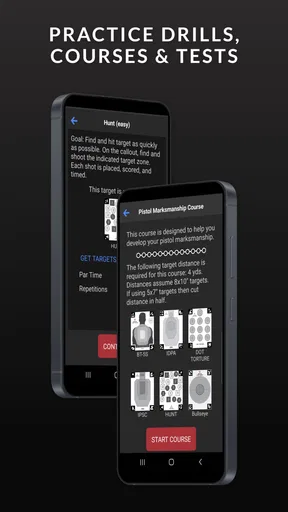
Once I got the hang of things, I started exploring the different modes and features. The app offers a variety of training drills, from basic target practice to more advanced scenarios. Each drill is designed to improve different aspects of shooting, like accuracy and speed. It’s almost like having a personal coach in your pocket.
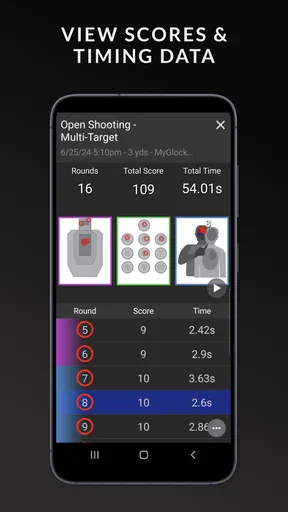
One of my favorite features is the immediate feedback. After each shot, you get a detailed analysis of your performance, including where you hit the target and suggestions for improvement. This real-time feedback loop is a game-changer for anyone serious about honing their skills.
That feedback is most useful when I treat it as a prompt to investigate, not an automatic diagnosis. If a result surprises you, repeat the setup carefully and see whether the same pattern appears. A single reading can be affected by how consistently you repeat the exercise; a trend across several attempts is more useful than reacting to one outlier. This is a small habit, but it helps prevent chasing random changes.
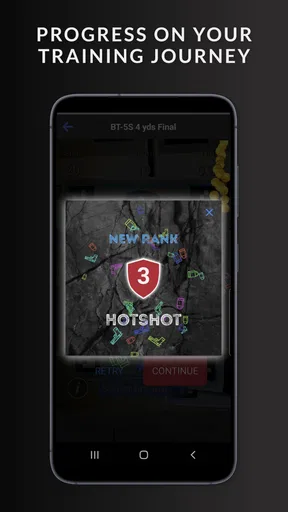
Another cool aspect of the app is the community leaderboard. It’s a fun way to challenge yourself and compare your progress with others. I found myself getting a little competitive, which only added to the fun!
Common setup confusion and how I would handle it
The main thing I would not assume is that a phone camera will capture every setup equally well. The viewing angle, the distance between the phone and practice area, and the steadiness of the phone can all affect whether a session feels dependable. If recognition is inconsistent, I would first revisit the positioning and calibration guidance rather than immediately changing several parts of the setup at once.
It also helps to separate equipment questions from training questions. If the app does not register an attempt as expected, pause and check whether the laser and camera are aligned before drawing conclusions about your performance. Once the setup is stable, keep it unchanged for a few sessions. That gives you a fairer basis for comparing results and avoids turning every practice day into a fresh troubleshooting exercise.
Where it fits in an everyday routine
A realistic use case is a short practice window at home when travel to a range is inconvenient. I might clear a quiet space, set up the phone and backdrop, and work through one focused drill before moving on with the day. The value is not that every session must be long; it is that a repeatable setup can make a small amount of deliberate practice easier to fit into an ordinary schedule.
For a first-time user, I would keep the goal modest: learn how to set up reliably, complete a drill, and understand the feedback. A more experienced shooter may get more out of comparing repeated sessions and using the varied exercises to keep practice purposeful. In either case, the app is best for someone who already has, or plans to obtain, compatible laser training equipment. Without that equipment, the central practice method is not available.
Performance and usability
In terms of performance, the app runs smoothly without any noticeable lag, even during extended sessions. The developers clearly put a lot of thought into optimizing it for both Android and iOS platforms. I didn’t encounter any crashes or bugs, which is always a relief.
Usability-wise, the app is quite versatile. Whether you’re a beginner or a seasoned pro, there’s something for everyone. I appreciated the range of difficulty levels, allowing me to start slow and gradually challenge myself more as I improved. The app basically grows with you, which is pretty neat.
The current version is 3.4, and it supports Android 7.0 or later. If you are choosing between an older phone and a newer one, I would check the minimum operating-system requirement before installing. Even when a device meets that baseline, camera placement and a stable surface remain part of getting a consistent session, so software compatibility alone is not the whole setup.
How it compares with other ways to practise
Compared with practising without an app, the main difference is the attempt to turn repetitions into something you can review. You can practise dry-fire movements without digital feedback, but you then need another way to judge consistency. Here, the appeal is having recorded results and drills in one place. The trade-off is that you are relying on a camera-based setup and the relevant laser equipment, rather than a simpler practice routine that needs no phone.
It also occupies a different space from watching instructional videos. Videos can explain concepts and demonstrate technique, while this app is intended to support active practice. I would not choose it instead of learning safe fundamentals from a qualified source; I would consider it a way to add structure after I understand what I am practising. If your priority is coaching or direct correction from an instructor, a phone app cannot provide the same kind of personal oversight.
Who should use it—and who may prefer another option
I can see this working especially well for someone who owns compatible laser training equipment, wants short sessions at home, and likes reviewing performance rather than relying only on memory. Beginners may appreciate having a guided start and a clear exercise to follow, while experienced users may value the chance to keep practice varied. The leaderboard can add motivation if friendly comparison helps you stay engaged, though I would not let ranking become the main measure of progress.
I would skip it if you want a complete introduction to firearm safety, if you do not have the equipment needed for laser practice, or if what you really want is in-person coaching. It may also be a poor fit if you dislike setting up a phone and checking alignment before practising. That setup work is part of this approach, and someone seeking a completely equipment-free activity will likely prefer a different option.
Is it worth it?
Now, you might be wondering if the Mantis Laser Academy is worth your time and investment. In my opinion, it’s definitely worth a shot (pun intended). The app offers a unique, convenient way to practice shooting skills and improve accuracy. Plus, it’s just plain fun!
Whether you’re looking to sharpen your skills or just want a new hobby to dive into, this app provides a comprehensive and engaging experience. It’s like having a virtual shooting range in your living room, and who wouldn’t want that?
So, if you’re up for a bit of a challenge and want to mix technology with traditional skills, give the Mantis Laser Academy a try. You might just find yourself hooked, just like I did!
Pros
- Easy to set up and use for beginners.
- Offers a variety of training drills.
- Realistic laser feedback for accuracy.
- Compatible with multiple calibers.
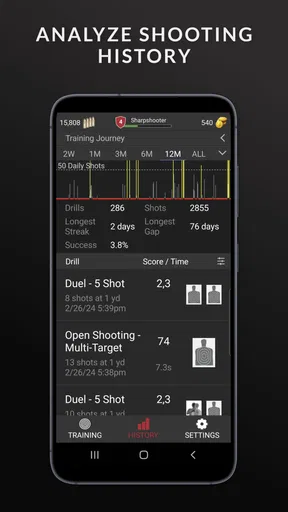
- Detailed progress tracking and analytics.
Cons
- Requires specific lighting conditions.
- Limited free content; in-app purchases needed.
- May not fit all gun models perfectly.
- Occasional connectivity issues.
- Initial setup might be confusing for some.
FAQs for Mantis Laser Academy
What is Mantis Laser Academy and how does it work?
Mantis Laser Academy is a training app designed to improve shooting skills using a laser training system. It works by connecting to a laser device that fits into your firearm, allowing you to practice shooting techniques without using live ammunition. The app tracks your progress, provides feedback, and offers various training modules to enhance your accuracy and speed.
Is Mantis Laser Academy compatible with all types of firearms?
Mantis Laser Academy is compatible with a wide range of firearms, including pistols, rifles, and shotguns. However, it’s essential to ensure that your firearm can accommodate the specific laser training device required for use with the app. Check the app’s compatibility section for detailed information on supported firearms and devices.
What are the costs involved in using Mantis Laser Academy?
While the Mantis Laser Academy app itself may be free to download, you’ll need to purchase the compatible laser training device for your firearm separately. Prices for these devices vary depending on the type and model. Additionally, some in-app purchases may be available to unlock advanced features or training modules.
Can Mantis Laser Academy be used for professional training purposes?
Yes, Mantis Laser Academy is suitable for both amateur and professional training. It offers various levels of difficulty and customizable training modules that cater to different skill levels. Professional shooters and instructors can use the app to provide structured training sessions and track progress over time.
Does Mantis Laser Academy require an internet connection to function?
Mantis Laser Academy generally does not require a continuous internet connection to operate, allowing users to practice in areas without internet access. However, an internet connection may be needed for initial setup, downloading updates, or accessing additional content and features within the app.


